My Verizon
- 4.6
- Rating
- 100.00M
- Installs
- Free
- Price

 Analysis by App-foxy
Managing a mobile account can feel simple until something needs attention at the wrong moment: a bill is due, a line needs checking, a device has a problem, or another person on the account needs help. I reviewed My Verizon as a daily account-management app rather than as a simple shortcut to a website. My overall impression is that it works best when I already know what I want to check and need a direct path into Verizon services from my phone.
This is a free lifestyle app developed by Verizon Consumer Group, and its purpose is broad: it brings Verizon account tasks into one mobile space. That makes it useful for existing Verizon customers, especially people who manage several lines or prefer handling routine service questions without opening a desktop browser. It is less compelling for someone who only wants a one-time account action or who is not comfortable navigating a carrier-focused app.
From a small account worry to a completed task
When a small account worry interrupts my day, I find it useful to start by identifying exactly which line or service needs attention rather than tapping around in a hurry. That simple pause can make the next step clearer and help me decide whether I can finish the task myself. From there, I can focus on what it takes to carry the issue through to a sensible outcome.
You May Also Like

 AccuWeather: Weather Radar
AccuWeather Review: A Quick, Clear Forecast for Everyday Decisions
For everyday plans, the best forecast is the one you can understand quickly. AccuWeather makes rain timing, radar, and local conditions easy to act on, with a few trade-offs.

 Hill Climb Racing
Why Hill Climb Racing Still Turns Crashes Into One More Run
A tiny car, a bumpy hill and one more upgrade: Hill Climb Racing keeps resurfacing because its simple chaos makes every near-miss feel personal.

 AliExpress - Shopping App
AliExpress Makes Global Shopping Feel Personal, but Shoppers Bear the Risk
AliExpress turns a global marketplace into a pocket-sized discovery engine. Its reach is useful, its shopping loop compelling, and its trade-offs easy to miss.

 Lords Mobile: Kingdom Wars
Lords Mobile Is a Kingdom-Building Routine, Not a Quick Match
A case-by-case verdict on the building, battles, device demands, and social commitments that make Lords Mobile rewarding for some players and exhausting for others.

 PDF Scanner app - TapScanner
TapScanner Makes Paperwork Easier to Capture, Check, and Share
TapScanner makes scanning with a phone feel less like a rescue operation and more like a dependable step in getting work done. Its capture tools are useful, though not flawless.

 Block Blast!
 Shows How Much a Puzzle Game Can Leave Out
A quiet grid game shows why puzzle players increasingly value instant clarity, repeatable skill and low-pressure play—and where the genre still needs to catch up.
More From Our News Desk
View All News


Starting with the situation that needs attention
The most realistic way to use this app is to begin with a specific problem. Imagine I am away from home and realize I need to review my wireless account before the next payment. I do not want to search through old emails, remember a separate website password flow, or call support just to find basic account information. I open My Verizon, sign in, and use the account view as my starting point.
That starting point matters because Verizon customers often have more than one thing connected to the same relationship: a phone line, additional family lines, a device, or other services. A carrier app becomes valuable when it helps me understand which line or service I am looking at before I make a change. I find this kind of orientation more useful than a collection of disconnected shortcuts.
The app has a mature audience rating of 17 and older, so it is not presented as a general family utility for young users. In practice, that fits its purpose. This is an account and service-management tool, not an entertainment app, and the person using it should be the account holder or someone trusted to handle account details.
Moving through the account instead of starting over
Once I am inside, the main advantage is continuity. I can move from checking the account to examining a line or service without treating every task as a separate visit. That is a small design choice, but it changes how practical the app feels when I am working through several related questions.
For example, I might begin by checking the account status, then move to a particular line to understand what applies to that device. If I am helping a family member, I need to pause and confirm that I am looking at the correct line before continuing. My tip is to slow down at that point rather than tapping through quickly. The convenience of a shared account can also create confusion if I assume the first visible line is the one I meant.
The app is also useful as a first stop before contacting Verizon. I can gather the basic context of the issue, identify the affected service, and only then decide whether I need assistance. That makes a support conversation more focused. Instead of beginning with “something is wrong,” I can explain which part of the account I was reviewing and what I expected to see.
Handling a routine bill and account check
A common workflow is reviewing a bill. I would open the account area, inspect the current information, and use the available account controls to continue. The benefit is not that the task becomes exciting; it is that the app keeps the action close to the rest of my Verizon relationship.
I would not use the app casually while distracted if a payment or account change required careful confirmation. Carrier accounts can involve several lines and services, so I recommend checking the account identity and the selected service before accepting anything. This is one of the less obvious trade-offs: the app reduces the number of places I need to visit, but it does not remove the need to read the screen carefully.
For people who usually wait for a reminder or paper statement, the app can become a quick checkpoint. I can open it when I have a few minutes, review what needs attention, and leave without turning a routine question into a longer support session. That is where the free price is especially helpful: there is little reason not to keep it available if Verizon is already my carrier.
Following a device or line rather than only the total account
Account totals are not always enough. When a family member says their service is behaving differently, I need to move from the general account view to the relevant line or device context. My Verizon is more useful in that situation than a generic payment app because the carrier relationship and the individual service are connected in one place.
A practical habit is to ask the person who reported the issue for the phone number or line name before I open the app. That prevents me from troubleshooting the wrong device. It also helps when several phones are managed under one account and the person asking for help is not the person who originally set everything up.
This line-by-line approach is one of the app's stronger everyday uses. It turns a vague household request into a defined account task. I can identify the service involved, review the relevant information, and decide whether the problem is something I can handle there or whether it needs Verizon support.
Handing the issue to support at the right moment
No carrier app can solve every problem through self-service. The useful handoff happens when I use My Verizon to prepare rather than to stubbornly avoid assistance. If a setting, charge, device issue, or account question remains unclear, I can move toward support with more useful information already in front of me.
This is especially helpful when another person is waiting for an answer. I can first confirm which line is involved, check the account context, and then explain the situation clearly. The app does not replace a human conversation in every case, but it can make that conversation less repetitive. I prefer that approach to calling immediately with only a general description of the problem.
There is also a privacy consideration in this handoff. Because the app deals with a Verizon account, I would avoid handing my unlocked phone to someone casually or leaving the account open where other people can browse it. The convenience of mobile access should be balanced with ordinary care around account information.
The result: fewer separate stops for ordinary Verizon tasks
When the workflow goes well, the result is modest but useful. I start with a question, locate the account or line involved, review the relevant information, complete the routine action if it is available, and leave with a clearer idea of what happened. That is the right standard for this app. It is not trying to be a general phone-management tool; it is a focused companion for Verizon customers.
The app's scale suggests that this role resonates with many users. It has a 4.6 average from around 1.3 million ratings, with more than 344 thousand written reviews and over 100 million installs. Those figures do not guarantee that every screen will suit every customer, but they show that My Verizon is an established part of many Verizon users' account routines.
I also appreciate that the app is free. There is no separate purchase decision standing between me and basic account access. For a person already paying for Verizon service, keeping the app installed can make sense simply because it gives a mobile route to tasks that might otherwise require a browser or a support call.
Where the flow breaks down
The biggest limitation is that the app's usefulness depends on my relationship with Verizon. If I am comparing carriers, managing a service from another provider, or looking for a neutral budgeting tool, this is the wrong choice. A carrier's own app naturally focuses on its services, while a general finance app or a browser-based account system may be better for someone who wants all household bills in one view.
It can also feel like too much if I only need one occasional action. A browser may be faster for a customer who already has a saved bookmark and does not want another app on the phone. Conversely, a browser is less convenient when I need to switch between account details and line information while away from a computer. My choice would depend on frequency: regular Verizon account management favors the app, while rare use may not justify changing my routine.
Another point of friction is the mental load created by multiple lines. The app puts related services together, which is useful, but that same grouping means I must stay alert to the selected line and account context. I would not recommend rushing through a change from a small screen, particularly when helping someone else or reviewing a household account.
The current version is 22.0.4, and the app supports devices running Android 7.0 or later. That makes it accessible to many older Android phones, although the experience will still depend on the phone itself, its screen size, and how comfortably it handles a modern account interface. If an older device already struggles with other current apps, I would not assume this one will feel effortless simply because the minimum operating system is relatively old.
Who will get the most from it
I would recommend My Verizon to a Verizon customer who checks account details regularly, manages multiple lines, or wants a convenient first step before contacting support. It is particularly practical for households where one person handles the wireless account for everyone else. The ability to begin with the account, narrow the issue to a line, and then decide whether to continue or ask for help is a sensible workflow.
I would also suggest it to someone who dislikes making calls for routine questions. The app gives that person a way to investigate first and reserve support for matters that genuinely need another person. That can save time, even when the final outcome still involves a handoff.
I would skip it if I am not a Verizon customer, if I strongly prefer managing everything through one general financial dashboard, or if I only need a rare website-style transaction. I would also be cautious about recommending it to someone who frequently manages accounts while distracted. The app makes access convenient, but convenience is not the same as automatic clarity when several services are involved.
My practical verdict after using the workflow
My Verizon succeeds when I treat it as an organized front door to my Verizon relationship. I begin with a concrete need, identify the correct account or line, review the information, complete the straightforward part, and use support only when the app reaches its limit. That sequence feels more realistic than expecting a carrier app to solve every service problem by itself.
Its strongest quality is not a flashy feature; it is the connection between account-level information and individual service context. That connection helps with bills, household lines, and preparing for support. Its main weakness is the same thing viewed from another angle: a combined account can require careful attention, and a customer with very simple or infrequent needs may find a browser more direct.
For me, the decision is straightforward. If Verizon is central to my monthly household administration, I would keep this free lifestyle app installed and use it as the first checkpoint whenever an account question appears. If I want a carrier-neutral tool or rarely touch my account, I would choose a different route. Used with that expectation, My Verizon is a practical companion rather than an unnecessary extra step.
FAQs for My Verizon
01What is My Verizon used for?
My Verizon is Verizon’s official account-management app for mobile, home internet, and other eligible services. After signing in, you can view and pay bills, monitor data usage, manage plans and connected devices, check upgrade eligibility, review account activity, and contact support. The exact tools shown depend on your Verizon account, location, services, and account permissions.
02Is My Verizon free to download and use?
The My Verizon app is generally free to download from the Google Play Store or Apple App Store, and Verizon does not normally charge a separate fee simply for using the app. However, downloading it may use mobile data, and actions completed inside the app—such as changing a plan, purchasing a device, adding features, or paying a balance—can create charges on your Verizon account.
03Can I pay my Verizon bill through the app?
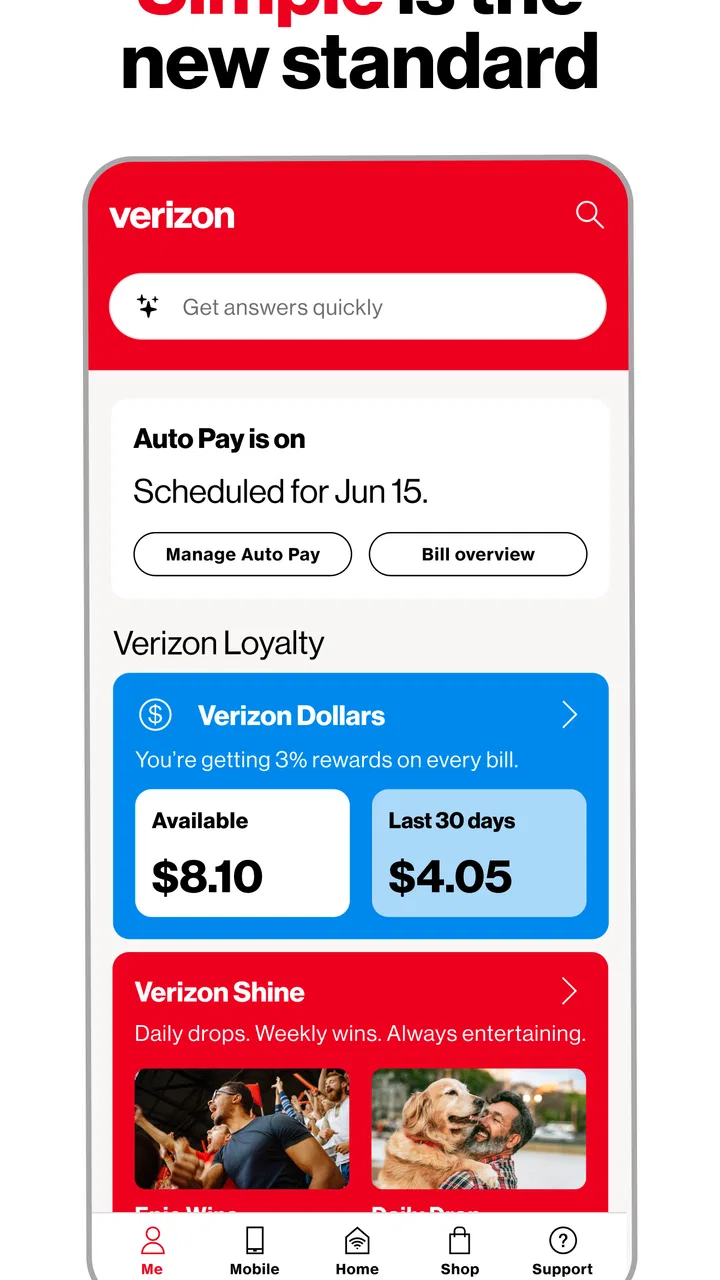
Yes, eligible customers can usually make one-time payments, view billing details, manage Auto Pay, and review previous payment activity through My Verizon. You may need to verify your identity or have the appropriate account-owner permissions. Payment options and available billing controls can vary by account type, service, and region, so some users may see fewer features than the primary account holder.
04Does My Verizon show mobile data usage and account details in real time?
My Verizon provides usage information for eligible lines, including data, talk, and text activity, but displayed figures may not update instantly. Network activity can take time to appear, particularly during busy periods or near the end of a billing cycle. The app is useful for tracking general consumption, although it should not always be treated as a second-by-second measurement.
05Is My Verizon safe, and what should I do if the app does not work?
My Verizon is Verizon’s official application, but you should download it only from the verified Google Play or Apple App Store listing and keep both the app and your device updated. Use a strong account password and avoid signing in on unfamiliar devices. If the app crashes, will not load, or shows outdated information, try updating it, restarting your device, checking your connection, clearing or reinstalling the app, or contacting Verizon support.
Pros
- Quick access to data usage
- billing
- and account details
- Easy plan management without needing customer support
- Supports bill payments and Auto Pay setup
- Lets users upgrade devices and track order status
- Provides outage alerts and troubleshooting tools
Cons
- Some features require a Verizon account login
- Promotional offers can make menus feel cluttered
- App performance may vary on older devices
- Certain support issues still require contacting an agent
- Frequent notifications may need manual adjustment

My Verizon
Gallery